GrooveTag Go: Discography App for iPhone and iPad

The app for every music fan.

Coming soon to the App Store

Collect your favorite artists, explore their complete discography with albums, EPs and singles, read their story and play any song on YouTube with a single tap. Build your own playlists and send them to your TV or speaker via AirPlay.

For iPhone and iPad · Free download · No account required

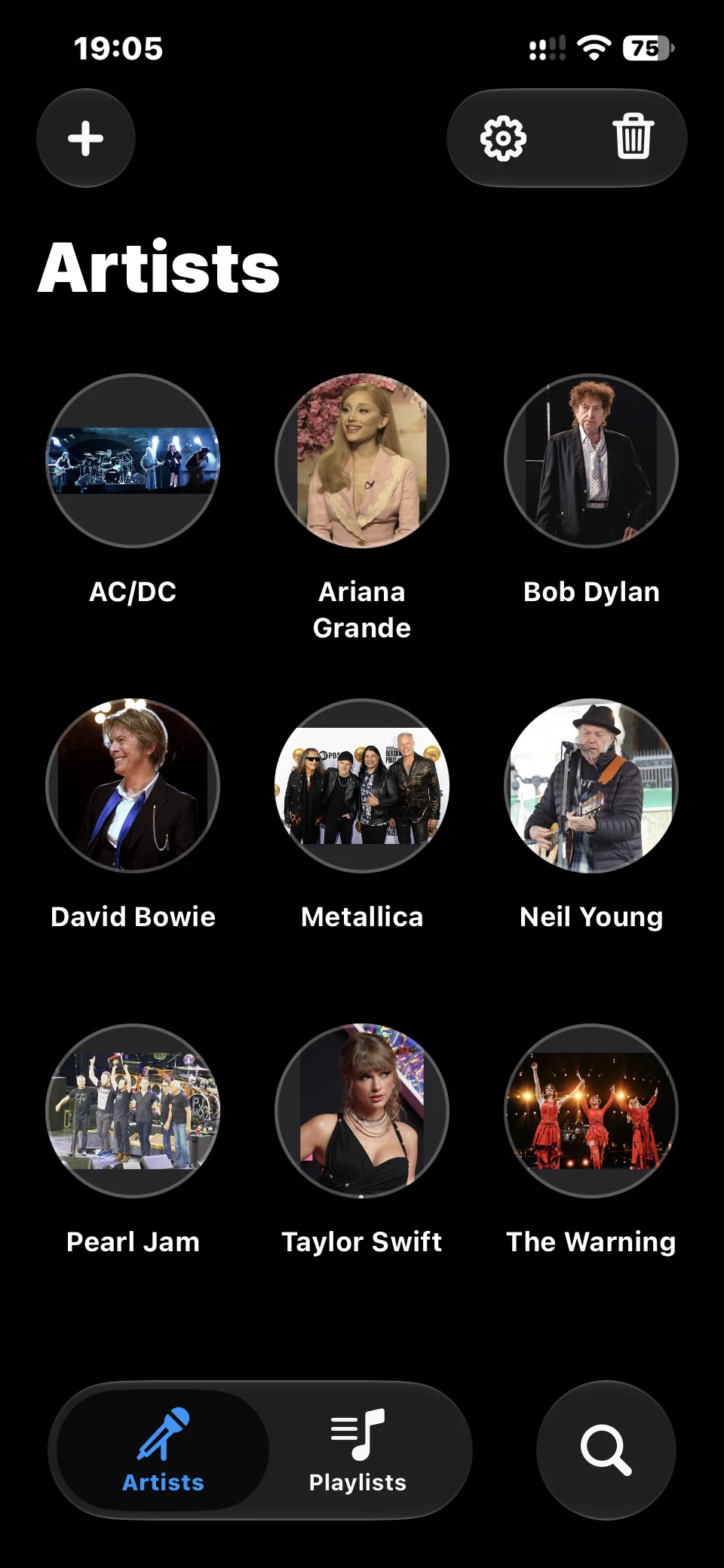
GrooveTag Go on iPhone: grid of artist pictures
Features

The Discography App for Music Fans

Discover, browse, play: your favorite artists and all their music in one app.

Collection

Your Artist Collection

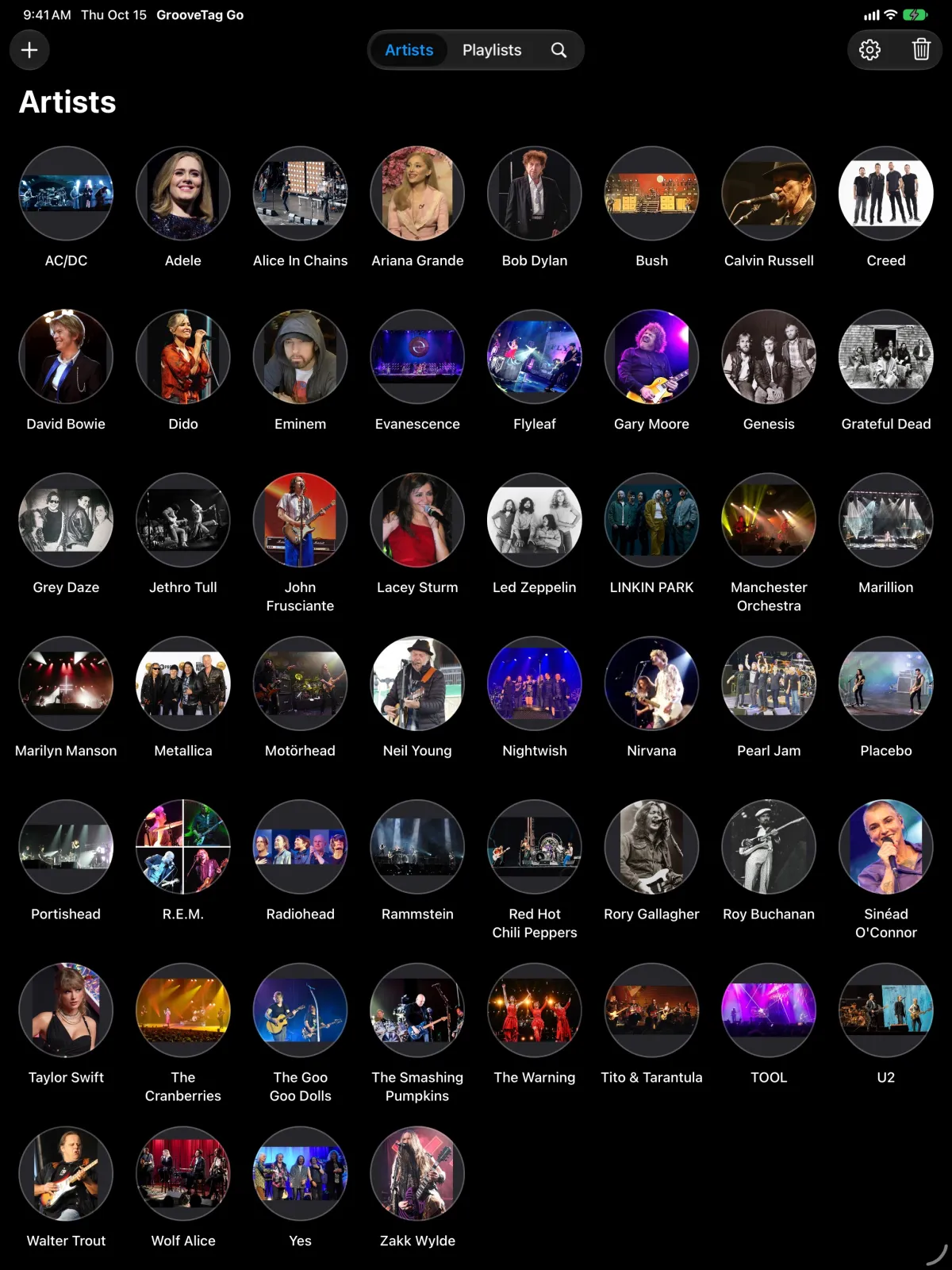
Add artists or bands simply by name. GrooveTag Go finds them even with unusual spelling, for example "ACDC" for AC/DC. Your collection appears as a clean grid of round artist pictures, searchable, with refresh and delete on a long press.
Artists Bands Search
Discovery

Complete Discography

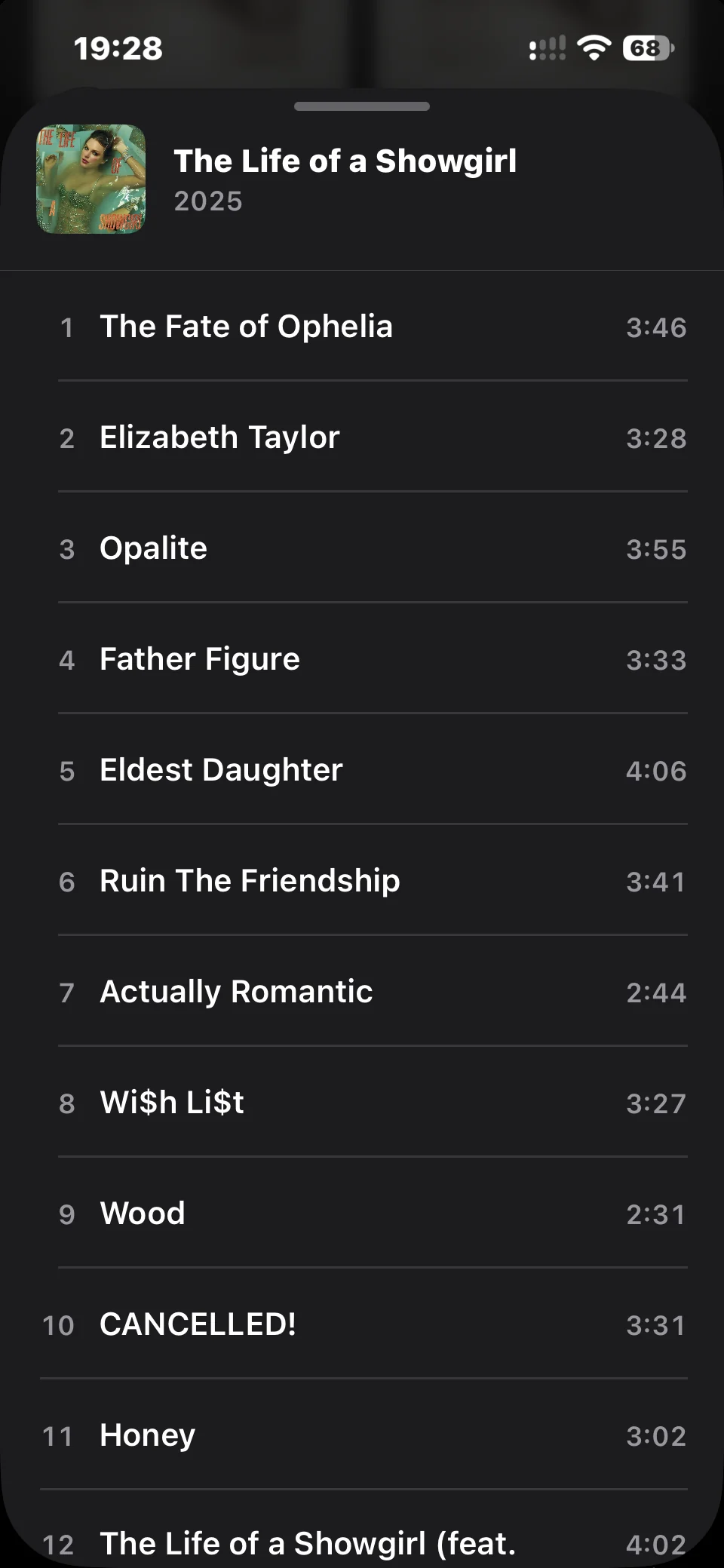
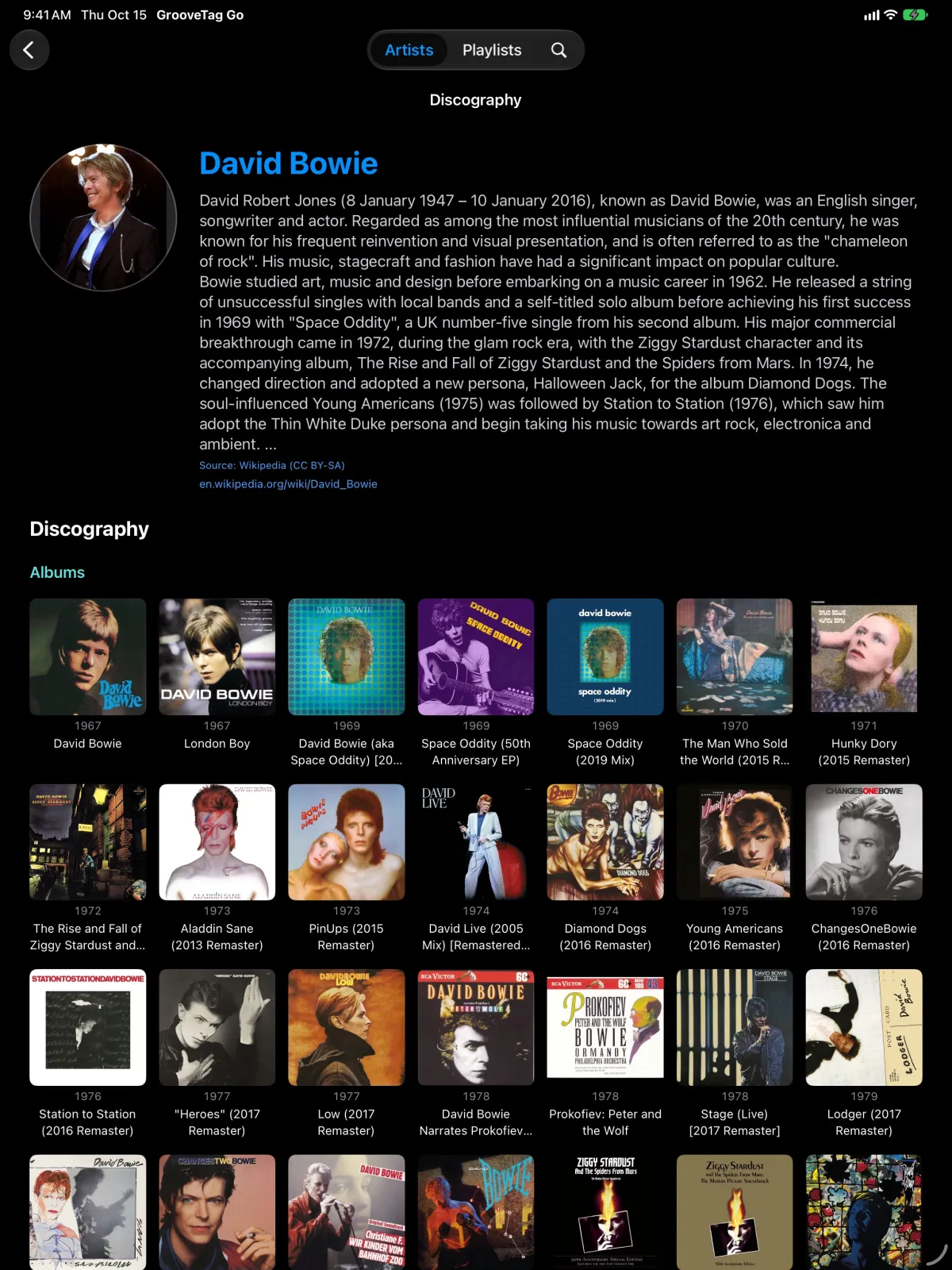
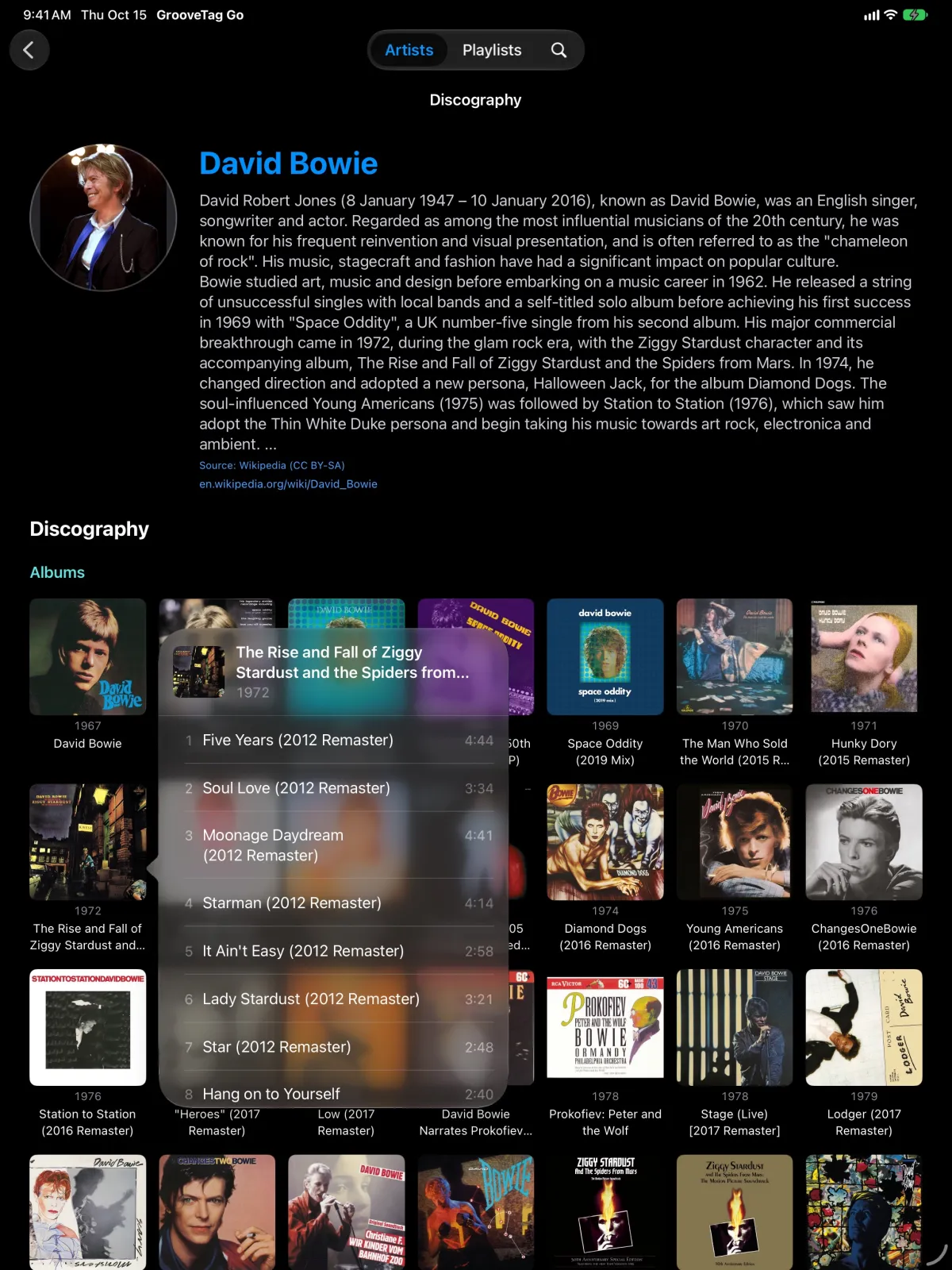
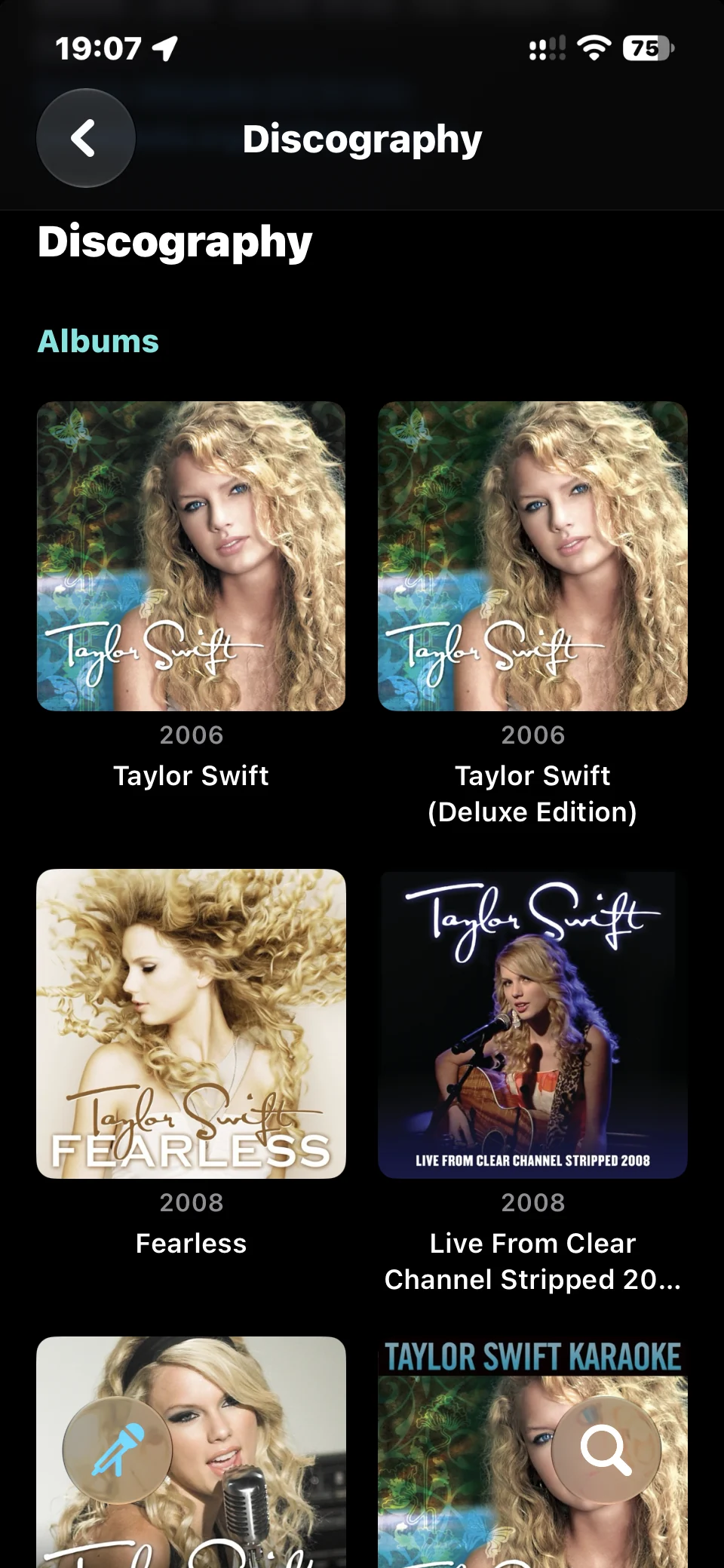
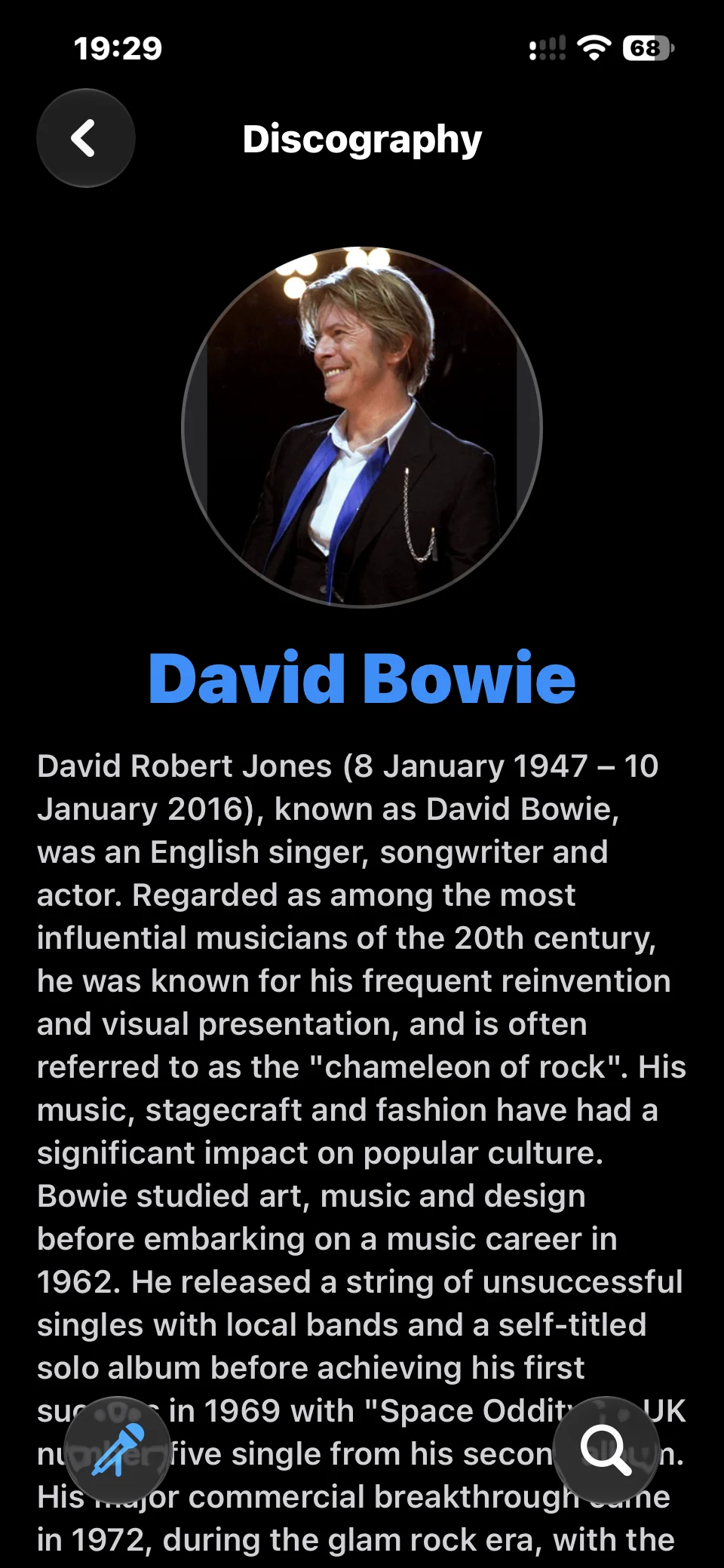
Every release by an artist with cover art, neatly sorted into albums, EPs and singles. Each album comes with its track list including track number and length. Plus the biography from Wikipedia with a link to the full article.

Albums EPs Singles Biography
Playback

Play with a Single Tap

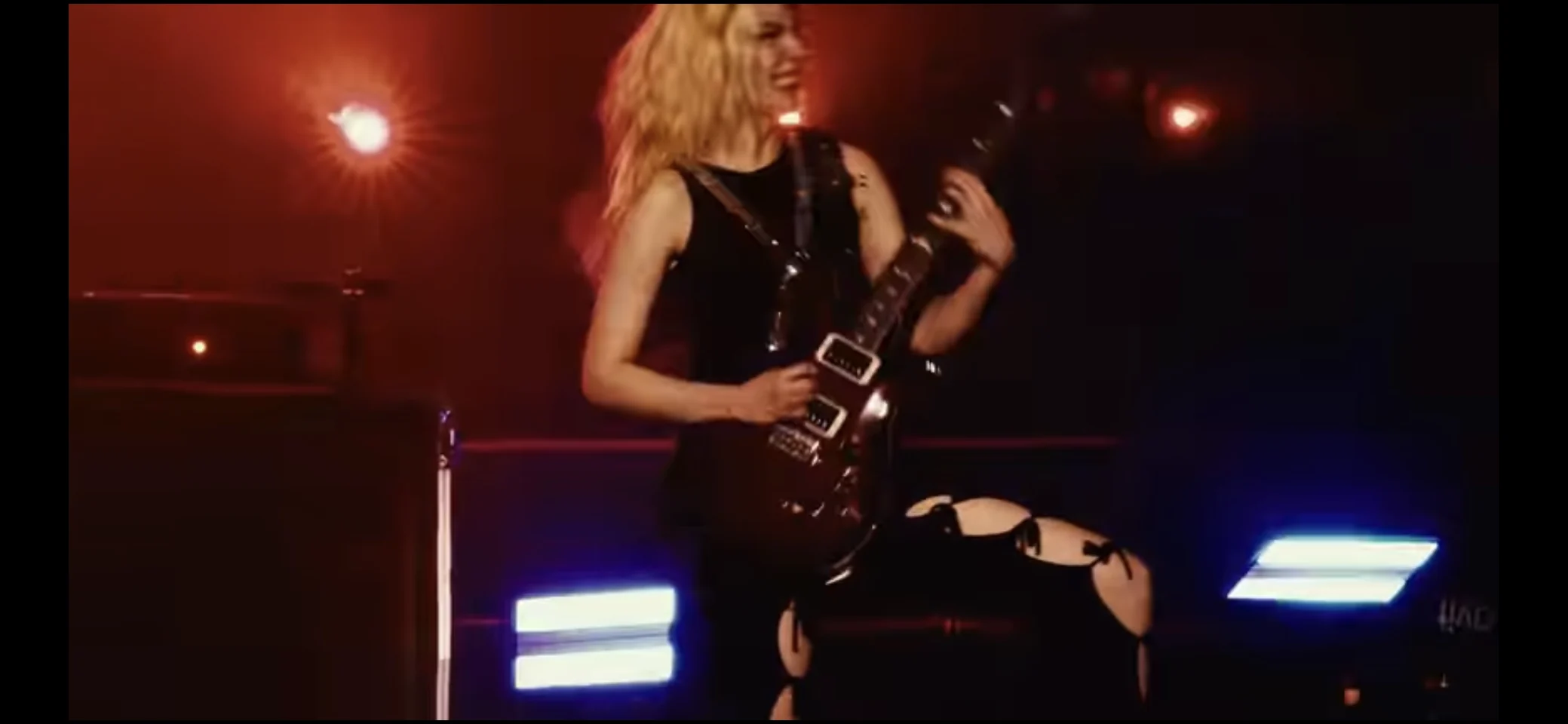
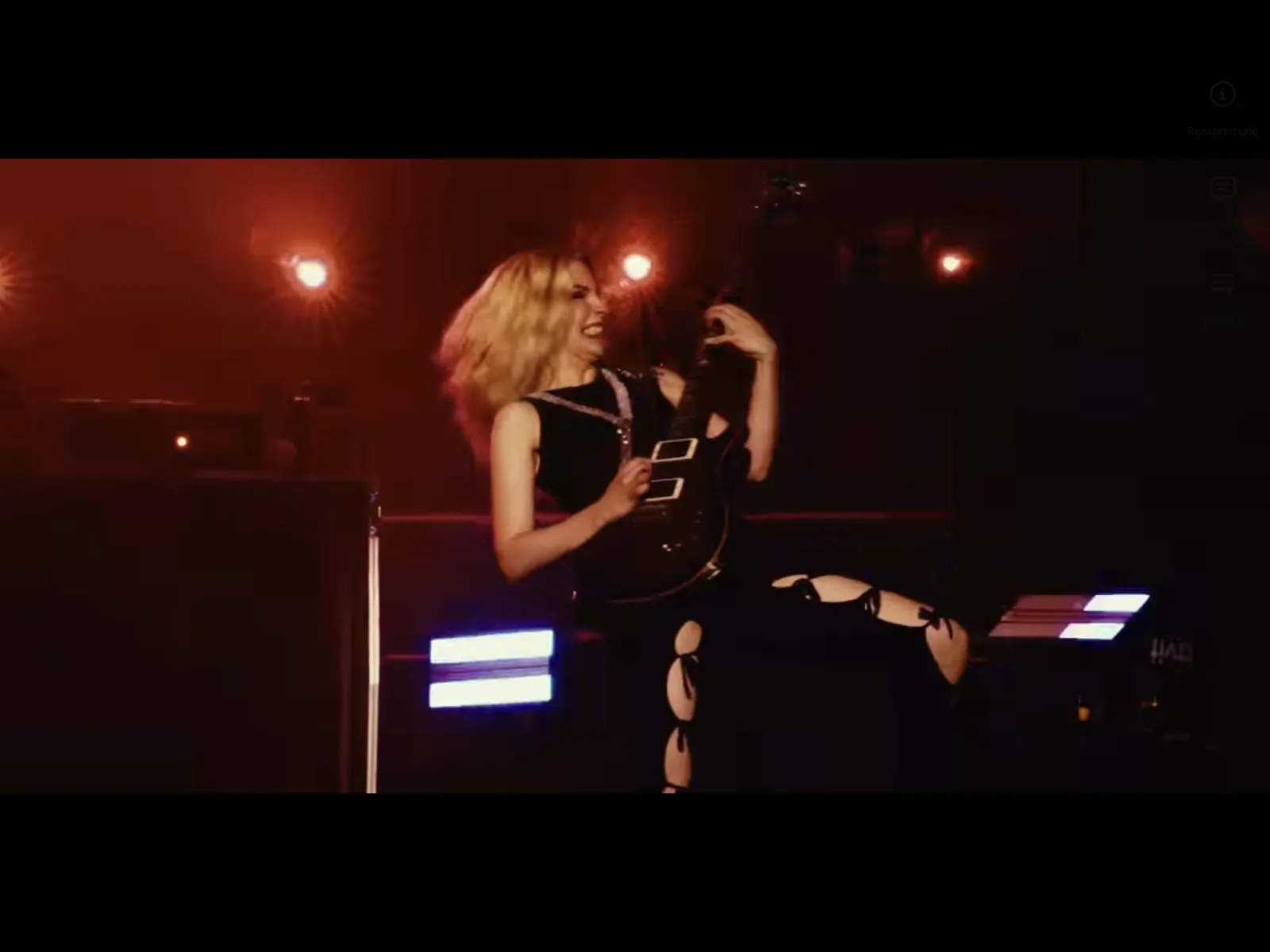
Tap a song and GrooveTag Go finds it on YouTube and plays it in the built-in browser, without leaving the app. The toolbar hides automatically during playback so the video gets more room. Portrait and landscape, full screen via YouTube's full screen button.

YouTube Full Screen Landscape
Playlists

Your Own Playlists

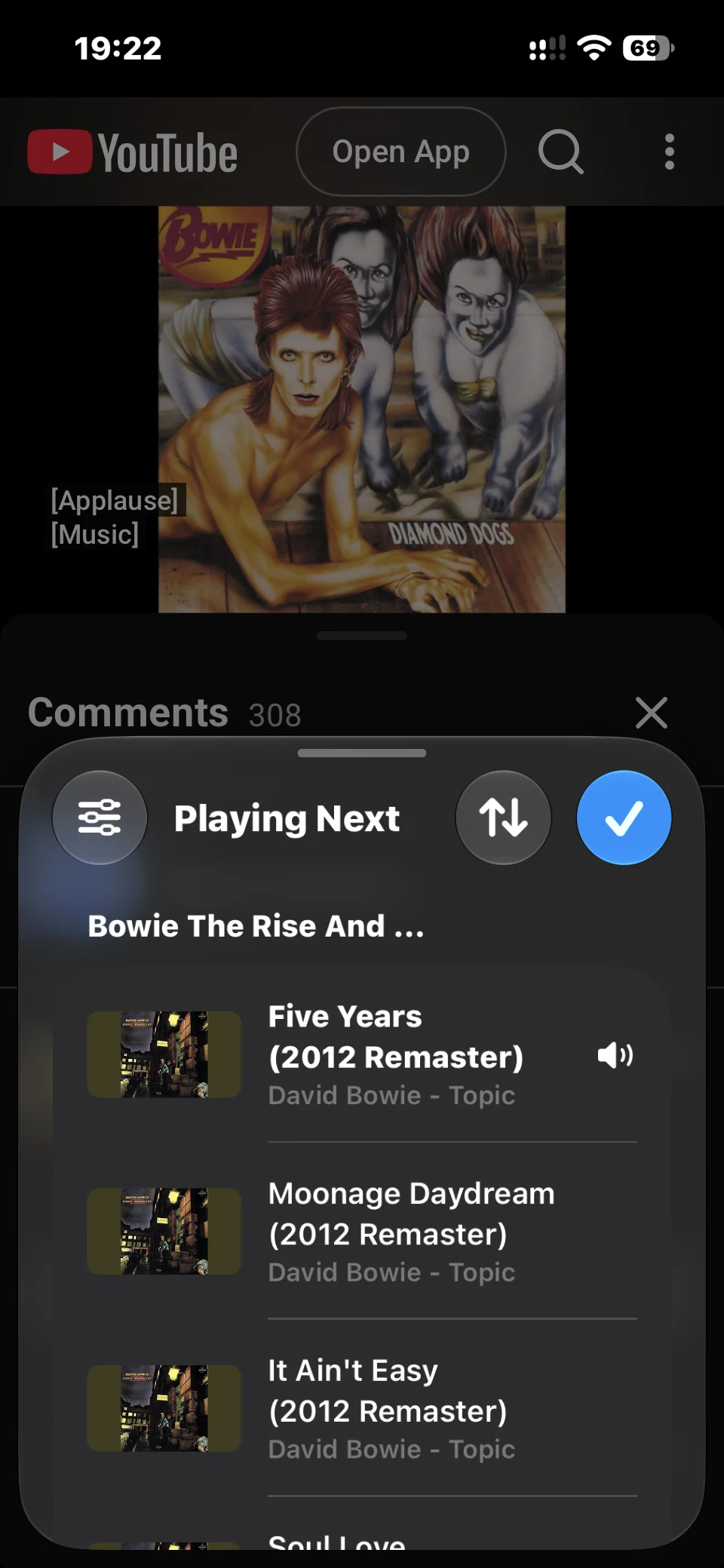
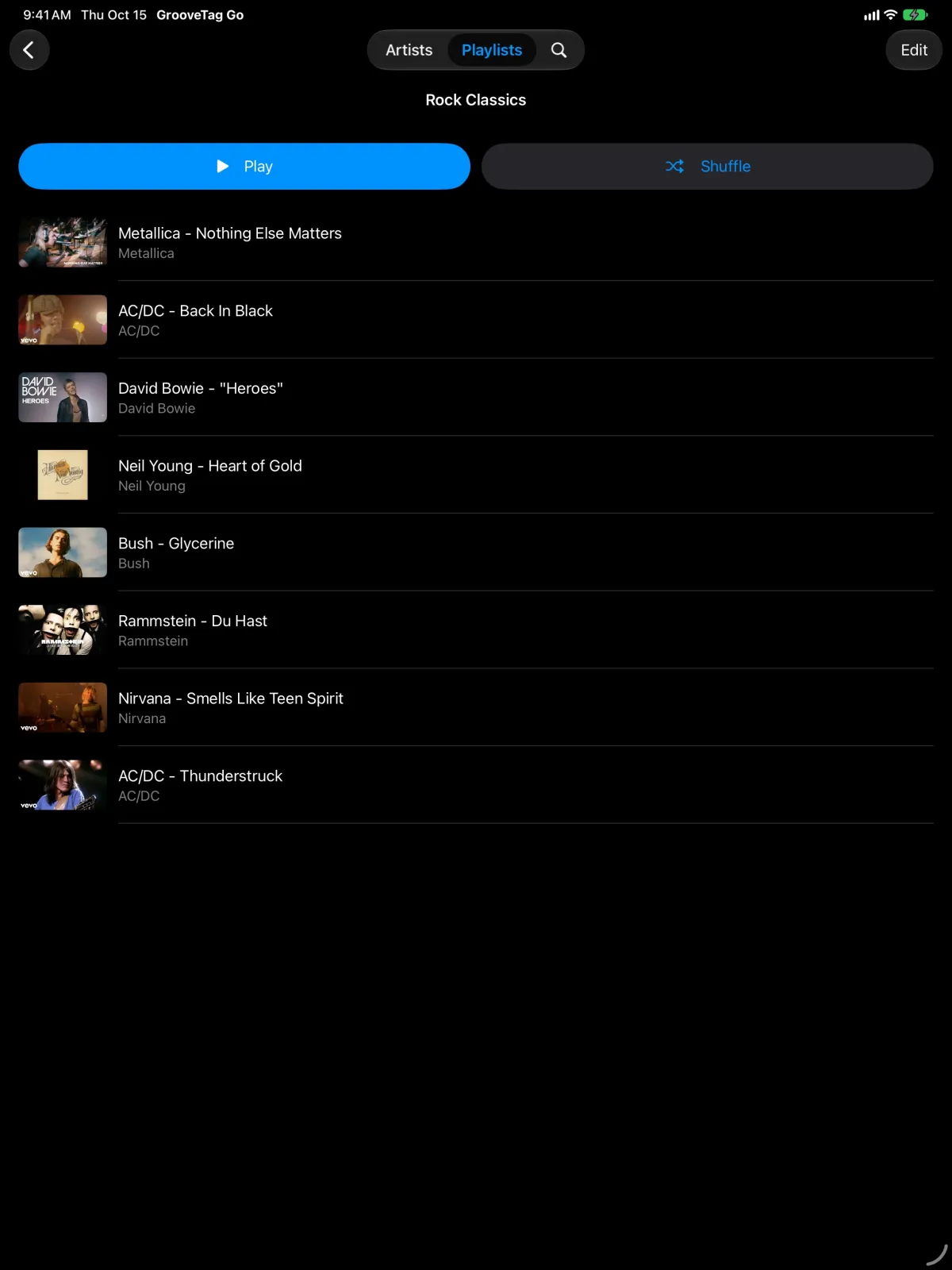
Save any video with "Add to Playlist" or add songs straight from the track list: long press, done. With Pro, whole albums land in your playlist at once. Autoplay, shuffle, repeat and a queue you reorder by dragging. Turn your iPhone sideways and the video fills the whole screen. The playlist simply keeps playing.

Shuffle Repeat Queue
Streaming

AirPlay

Send videos and music to your Apple TV, an AirPlay speaker or your Mac. Your playlist plays on the big screen or through the sound system in your living room.

Apple TV Speakers Mac
Design

For iPhone and iPad

A modern look in the current iOS design with Liquid Glass. Light and dark mode, or automatic to match the system. On iPad with keyboard shortcuts and support for mouse and trackpad.

Liquid Glass Light & Dark iPad
Accessibility

Made for Everyone

Full VoiceOver support, readable colors and contrast. The app adapts to large text and stays fully usable with Display Zoom turned on.

VoiceOver Large Text Display Zoom
Privacy

Private and Simple

No account, no sign-in. Your collection and your playlists stay on your device. Artists and discographies you have already loaded are available offline too.

No Account No Tracking Readable Offline
Insights

See GrooveTag Go in Action

From artist to album, from album to song, from song to playlist.

GrooveTag Go collection with round artist pictures in a grid
Collection All your artists at a glance.
GrooveTag Go discography with album covers and release year
Discography Albums, EPs and singles, neatly sorted.
GrooveTag Go artist page with picture and biography from Wikipedia
Biography The story of your artists from Wikipedia.
GrooveTag Go track list of an album with track number and length
Track List Every track with number and length.
GrooveTag Go playlist with queue during playback on YouTube
Playlists Shuffle, repeat and queue.
GrooveTag Go playing a music video in landscape
Playback Turn your iPhone sideways and the video fills the whole screen. The playlist simply keeps playing.

Also on iPad

More room for covers, biographies and music videos.

GrooveTag Go on iPad: collection with round artist pictures in a grid
Collection Your whole collection on the big screen.
GrooveTag Go on iPad: artist page with biography and discography
Artist Page Biography and discography on one page.
GrooveTag Go on iPad: track list opened above an album cover
Track List Tap an album and the tracks open right above it.
GrooveTag Go on iPad: playlist with play and shuffle buttons
Playlists Play or shuffle with a single tap.
GrooveTag Go on iPad playing a music video in landscape
Playback Music videos in full size on the iPad display.
Free & Pro

Try It for Free

Test every feature for free in small amounts. GrooveTag Go Pro removes all limits as a one-time in-app purchase, no subscription.

Feature Free Pro
Artists in your collection up to 6 unlimited
Discography 5 releases per artist complete
Biography preview full
Playlists 2 unlimited
Videos per playlist 5 unlimited
Add whole albums to a playlist ✕ ✓
Playback on YouTube, AirPlay ✓ ✓
Price free in-app purchase

No subscription. Pro version as a one-time in-app purchase.

Technical Details

iPhone & iPad
Platform min. iOS 26 iPhone and iPad (iPadOS 26)
Languages German · English · Spanish
Artist Data Wikipedia · iTunes Search Picture · Biography · Discography · Cover art
Playback YouTube · AirPlay Only while the app is open, not in the background
Internet Connection Required Artists and discographies already loaded are available offline
Appearance Light · Dark · Automatic
Price Free GrooveTag Go Pro as a one-time in-app purchase
Subscription None
Account None
Data Storage Only on your device
FAQ

Frequently Asked Questions

Everything you need to know about GrooveTag Go.

What is GrooveTag Go?

GrooveTag Go is an app for iPhone and iPad that lets you collect your favorite artists, explore their complete discography and biography, and play any song on YouTube with a single tap. You build your own playlists from your favorite songs.

Do I need a YouTube or Google account?

No. GrooveTag Go works without an account and without signing in, including with YouTube or Google.

Where does the music come from?

The videos come from YouTube and play in the app's built-in browser. YouTube may show ads there, which GrooveTag Go does not remove.

Does the music play in the background?

No. Playback only works while the app is open, not in the background. This is required by the YouTube Terms of Service.

Does AirPlay work?

Yes. You can send videos and music to an Apple TV, an AirPlay speaker or a Mac.

Is GrooveTag Go free?

Yes. You can try every feature for free in small amounts: up to 6 artists, 5 releases per artist, a biography preview and 2 playlists with 5 videos each.

What does GrooveTag Go Pro unlock?

GrooveTag Go Pro removes all limits: unlimited artists, complete discographies, full biographies, and unlimited playlists and videos. You can also add whole albums to a playlist at once. Pro is a one-time in-app purchase, not a subscription.

Where is my data stored?

Only on your device. The app collects no personal data. To load artist data and videos, it contacts Wikipedia, Apple's iTunes Search and YouTube. As with any request, these services see your IP address.

Does GrooveTag Go work offline?

Partly. Artists and discographies you have already loaded can be viewed offline. You need an internet connection to add new artists and to play videos.

Which iOS version is required?

GrooveTag Go requires iOS 26 or iPadOS 26 or later and runs on iPhone and iPad.

Which languages does the app support?

GrooveTag Go is available in German, English and Spanish.

GrooveTag Icon
Also for Mac

GrooveTag for macOS

The free MP3 player for Mac with ID3 tag editor, 10-band equalizer, ReplayGain and web radio.

Go to GrooveTag for Mac
Coming Soon

Your Favorite Artists.
All Their Music.

GrooveTag Go is coming soon to iPhone and iPad. Free download, no account, no subscription.

Coming soon to the App Store

Requires iOS 26 or iPadOS 26 · Internet connection required for Wikipedia, iTunes Search and YouTube

Free download · GrooveTag Go Pro as a one-time in-app purchase, no subscription