GrooveTag: MP3 Player & ID3 Tag Editor for Mac

Tag it. Play it. Love it.

New: GrooveTag 2.0 is now free

GrooveTag is a free MP3 player for Mac with 10-band equalizer, ReplayGain, playlist and web radio. Its built-in MP3 and ID3 tag editor fills in missing tags automatically via Shazam and Apple Music and shows artist info & discography. No Apple Music subscription required!

macOS only · Free download · No registration required

GrooveTag App Icon
Features

MP3 Player, Tag Editor & Equalizer for Mac

All the tools for a perfect music library – in one app, without compromise.

Player

MP3 Player for Mac

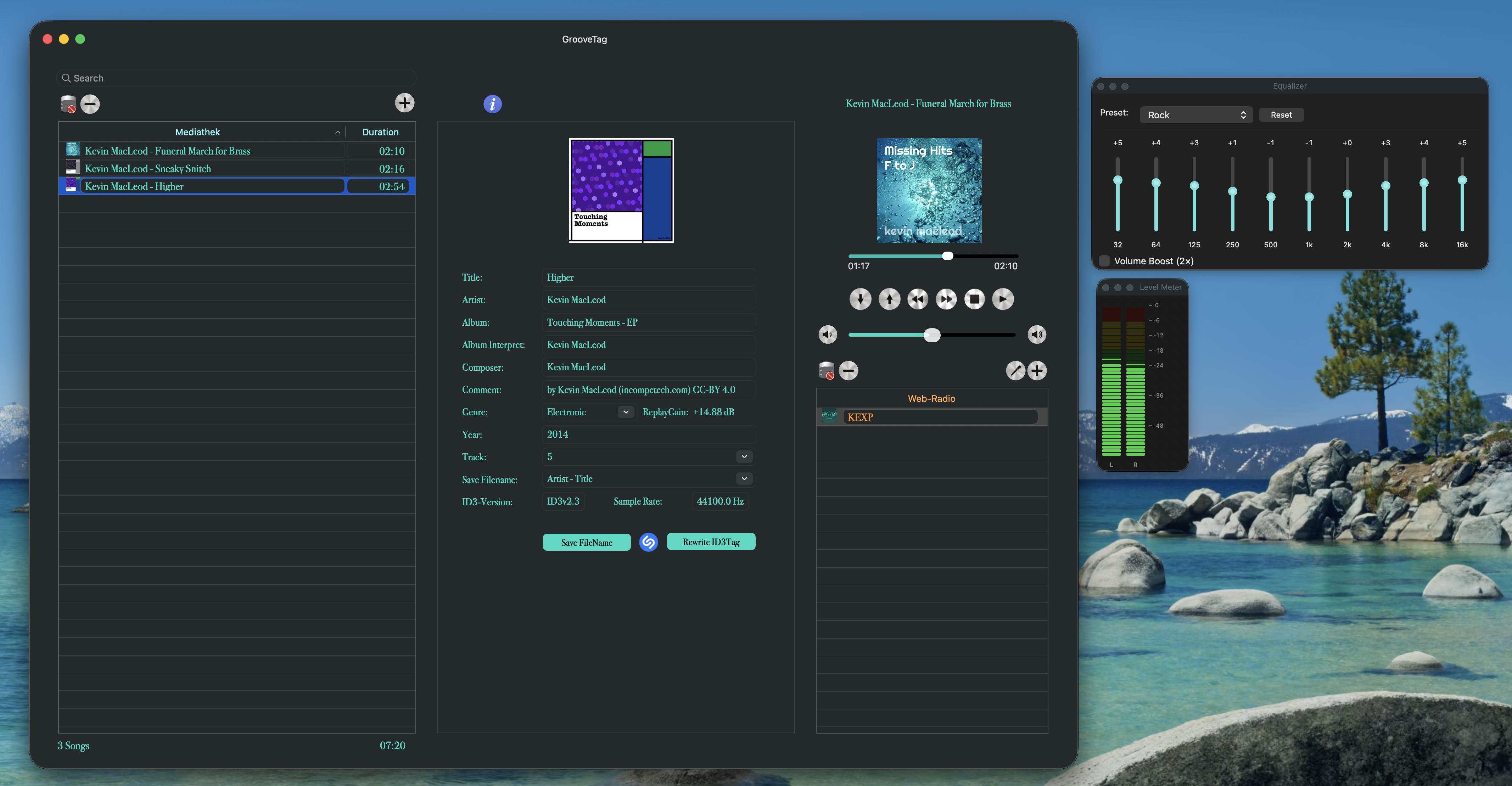
GrooveTag is a full-featured MP3 player for Mac. Add files or whole folders to your library, build your playlist and play your music right away, with no Apple Music app and no account. The 10-band equalizer and ReplayGain take care of the sound, and web radio from around the world is built in.

Playlist Web Radio MP3
Tagging

ID3 Tag Editor

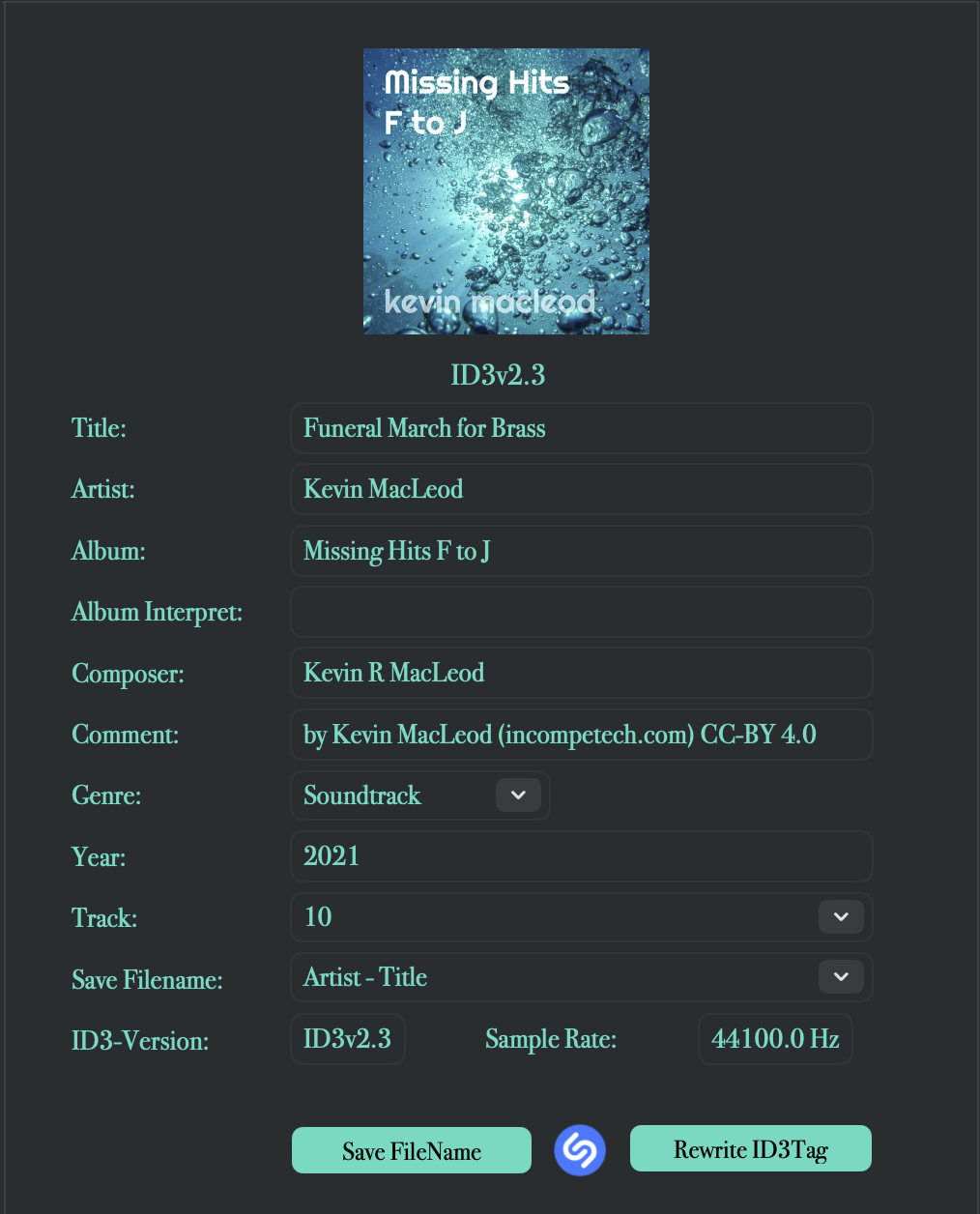
The ID3 tag editor for Mac reads and writes tags to the ID3 V2.3 standard, including Title, Artist, Album, Album Artist, Composer, Genre, Release Year and Track Number. The metadata you actually need.

ID3 V2.3 Read Write
Automation

Shazam & Apple Music

Identify songs via Shazam and retrieve complete metadata directly from Apple Music – Title, Artist, Album, Genre, Release Year and more are filled in automatically. No more tedious manual entry. No Apple Music subscription needed.

Shazam Apple Music Auto-Fill
Discovery

Artist Info & Discography

Browse artist biographies and complete discographies right inside GrooveTag, sourced from Wikipedia. Tap any album to jump straight to its official video on YouTube – no need to leave the app.

Artist Info Discography YouTube
Sound

10-Band Equalizer

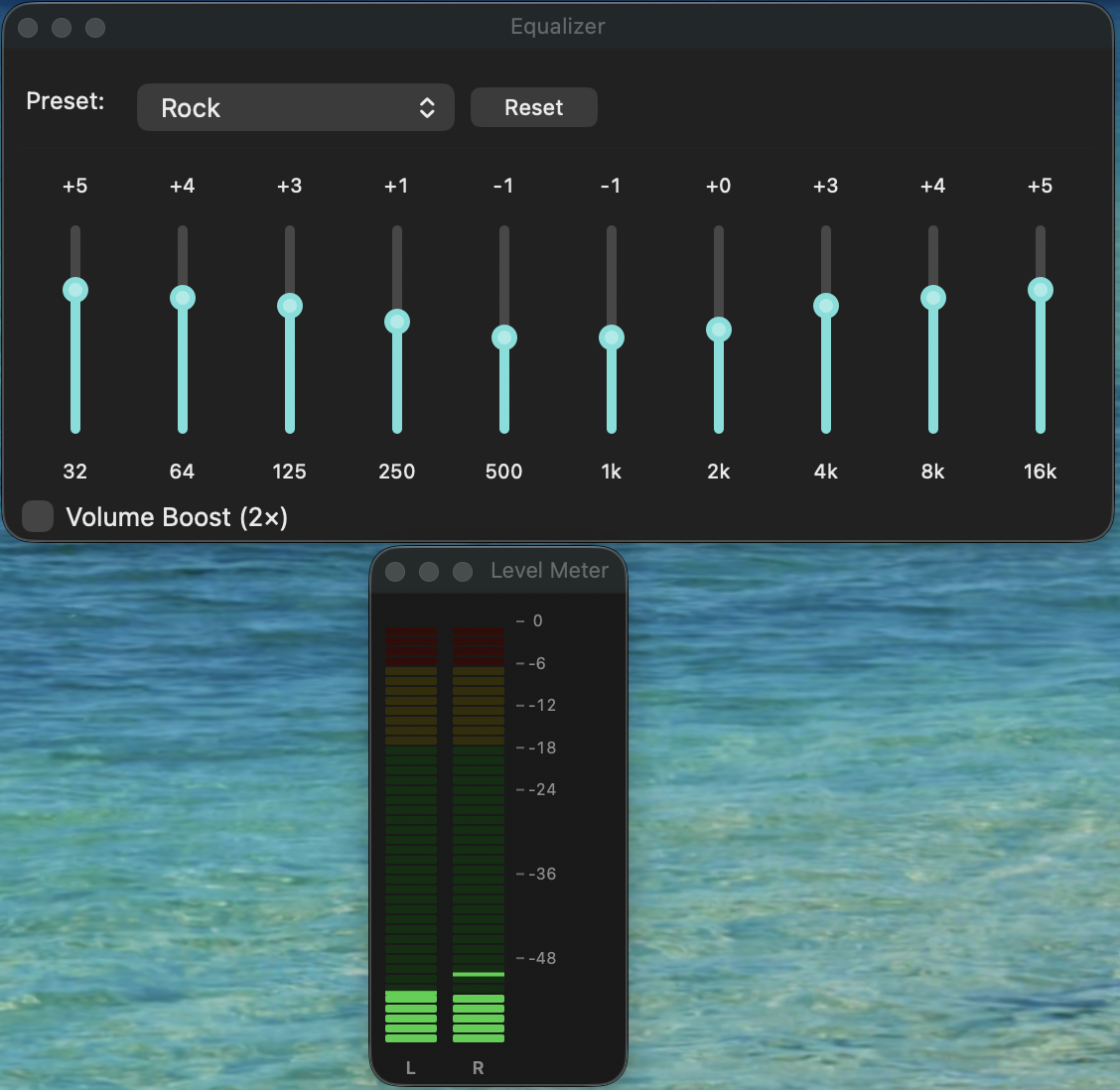
Shape your sound with precise 10-band control: 10 presets for every music style, ±12 dB range per band, and Volume Boost for extra punch – built right into the player, no external tools needed.

10 Bands 10 Presets Volume Boost
Audio

Level Meter & ReplayGain

Keep your levels in check: the real-time Level Meter shows L+R channels as an LED display. ReplayGain automatically normalizes the volume across your entire MP3 collection – no more manual adjustments.

Level Meter ReplayGain L+R Channels
Interface

Instant Zoom Controls

Scale the entire interface in 10% increments via keyboard shortcut or the View menu. Resize the window to full screen height for a better overview of large libraries, with smarter window positioning throughout.

Zoom Resizable Multi-Select
Design

Frosted Glass Design

A refined frosted-glass interface built for macOS – translucent panels and smooth blur effects for a modern look that feels right at home on your Mac.

Frosted Glass macOS Native
Privacy

Privacy First

No data storage, no tracking, no subscription. An internet connection is used exclusively for retrieving tags via Shazam and Apple Music and for playing web radio streams – and for absolutely nothing else.

No Subscription No Tracking Works Offline
Free & Pro

GrooveTag Is Now Free

Tag, play and explore your MP3s at no cost. GrooveTag Pro unlocks everything without limits as a one-time purchase, no subscription.

Feature Free Pro
MP3 player, ID3 tag editor, cover art, renaming ✓ ✓
ReplayGain, level meter, zoom, YouTube ✓ ✓
Songs in the library up to 100 unlimited
Songs in the playlist up to 100 unlimited
Web radio stations up to 5 unlimited
Shazam & Apple Music lookups 5 per day unlimited
Artist Info 6 artists all artists
Discography short biography, 5 albums complete
Equalizer presets Flat, Rock all 10
Price free one-time purchase

No subscription. Existing customers keep all features without paying again.

Insights

See It in Action

A look at the interface – clean, dark and fully optimized for efficiency.

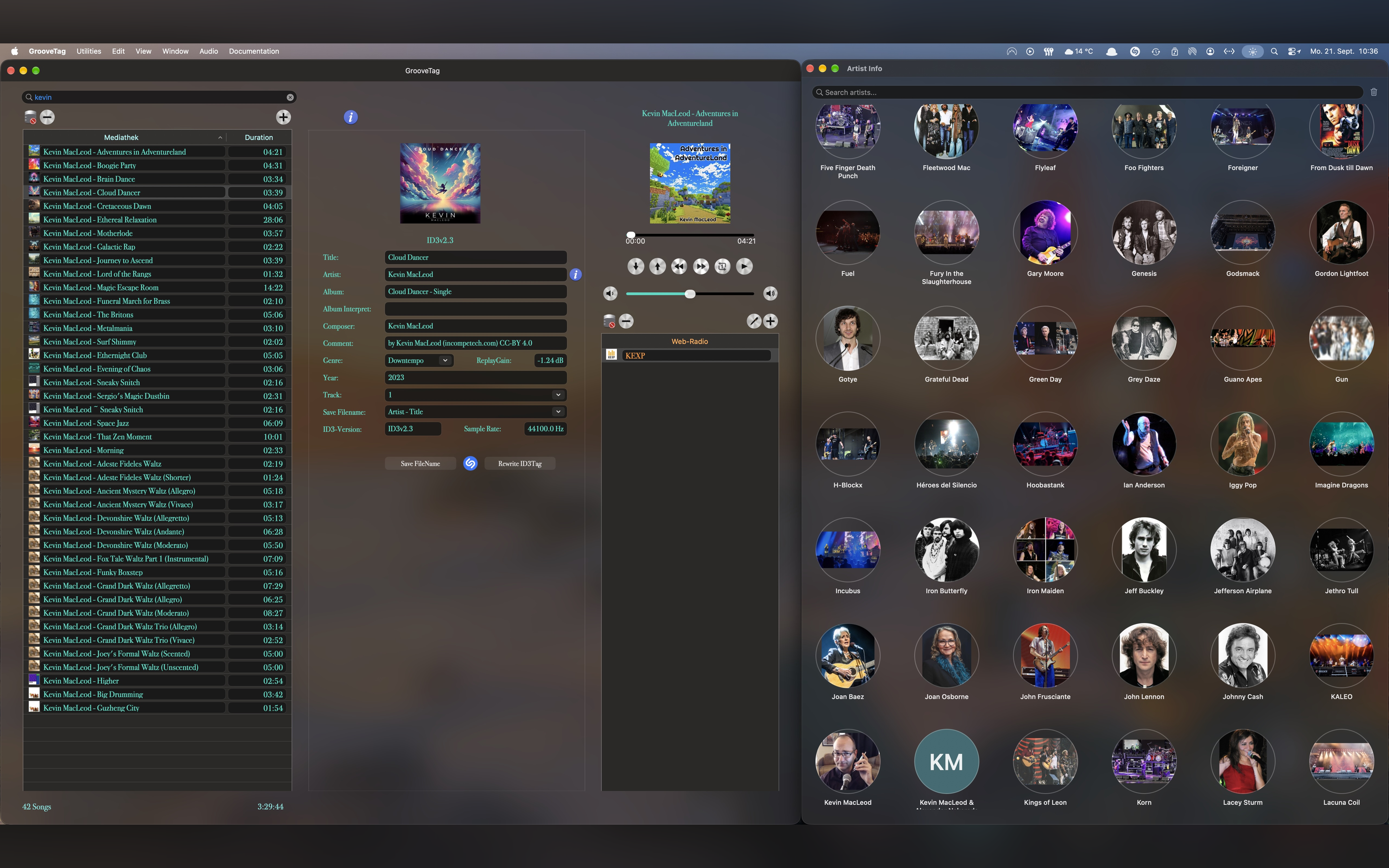
GrooveTag Artist Info window with searchable artist gallery
Artist Info Browse a searchable gallery of every artist in your library.
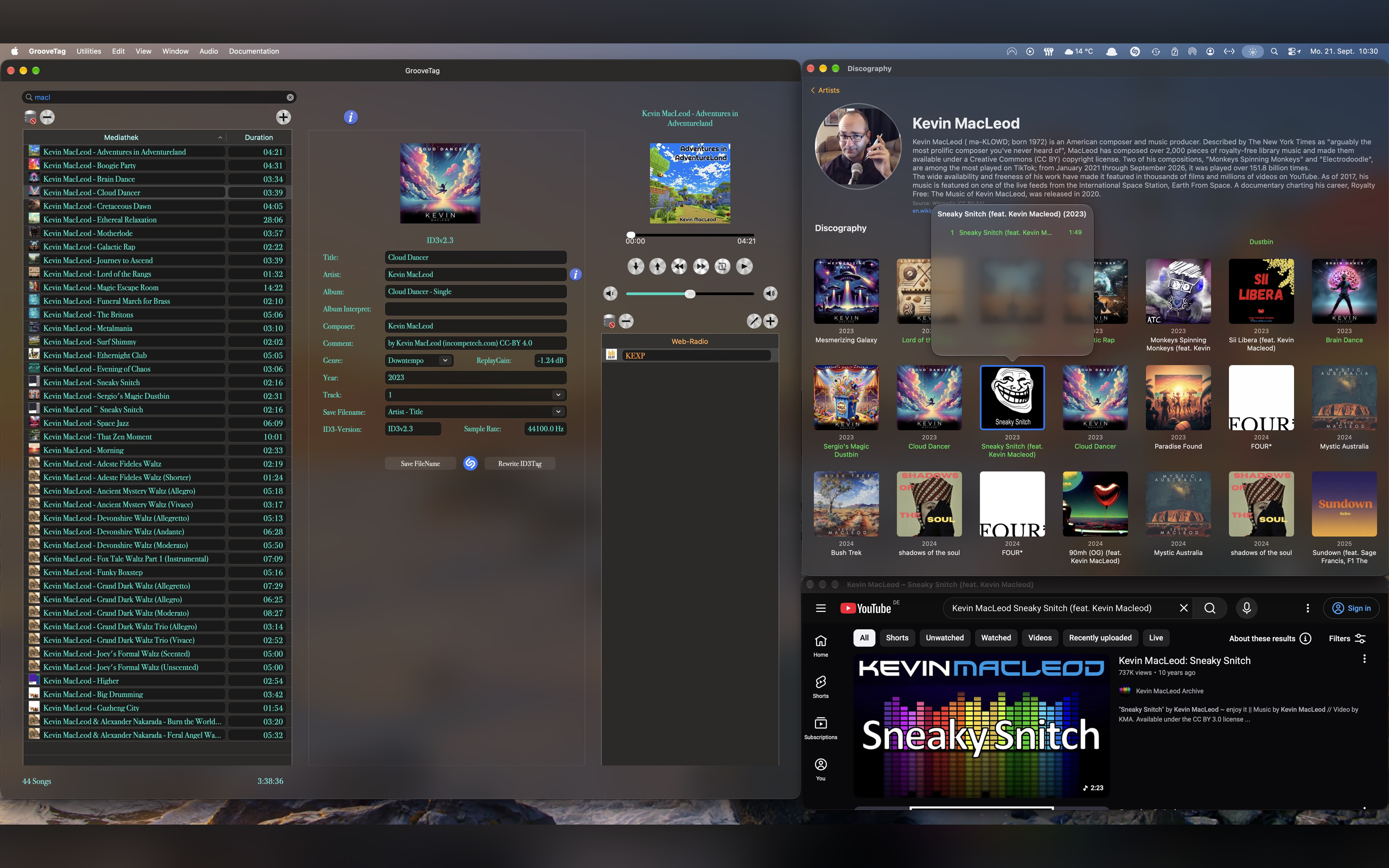
GrooveTag artist discography with Wikipedia bio and embedded YouTube playback
Discography & YouTube Full discography with Wikipedia bio – play any song's official video instantly.
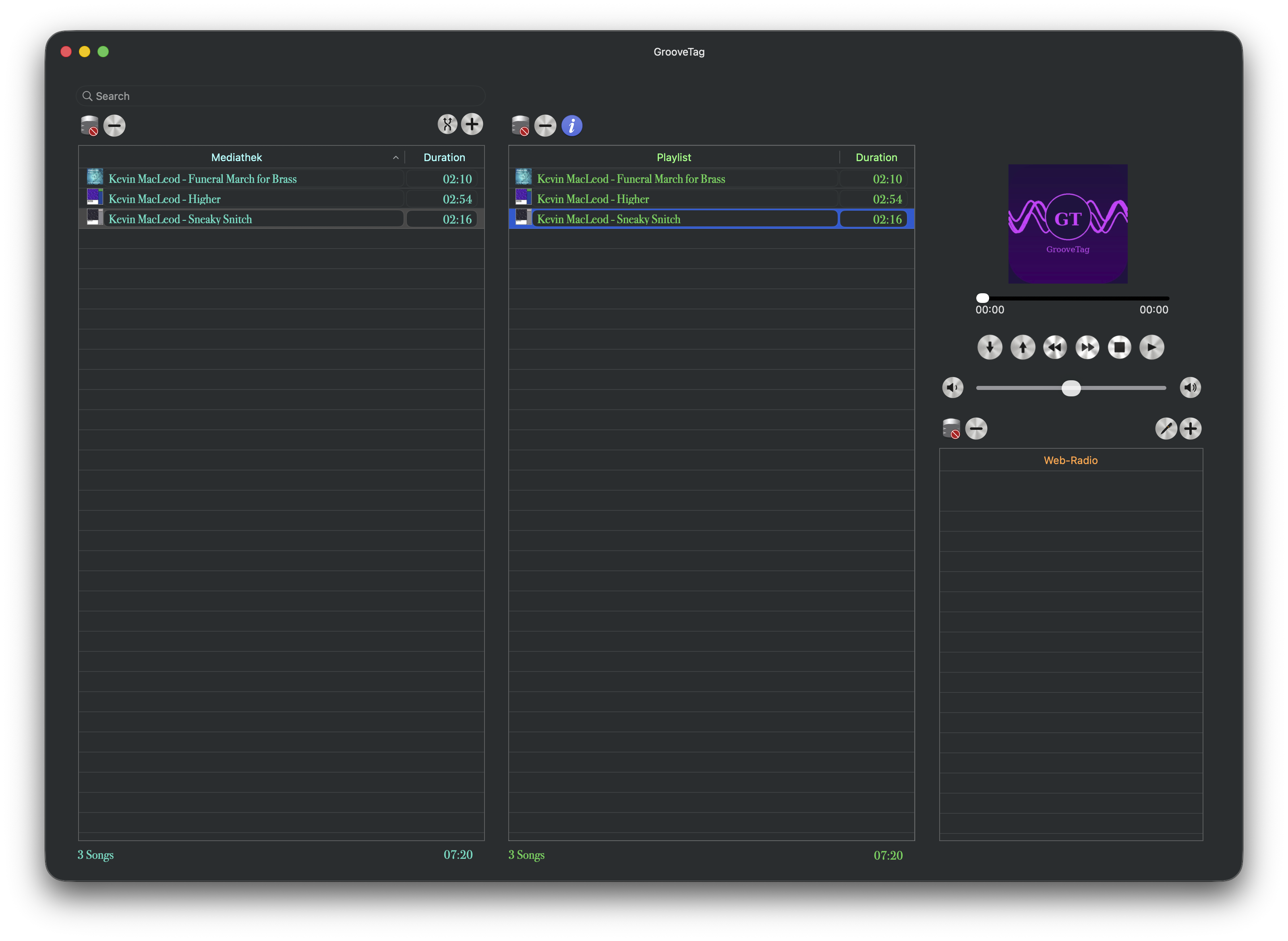
GrooveTag playlist view with MP3 library and player controls
Playlist & Player Manage your MP3 library with full player controls and queue.
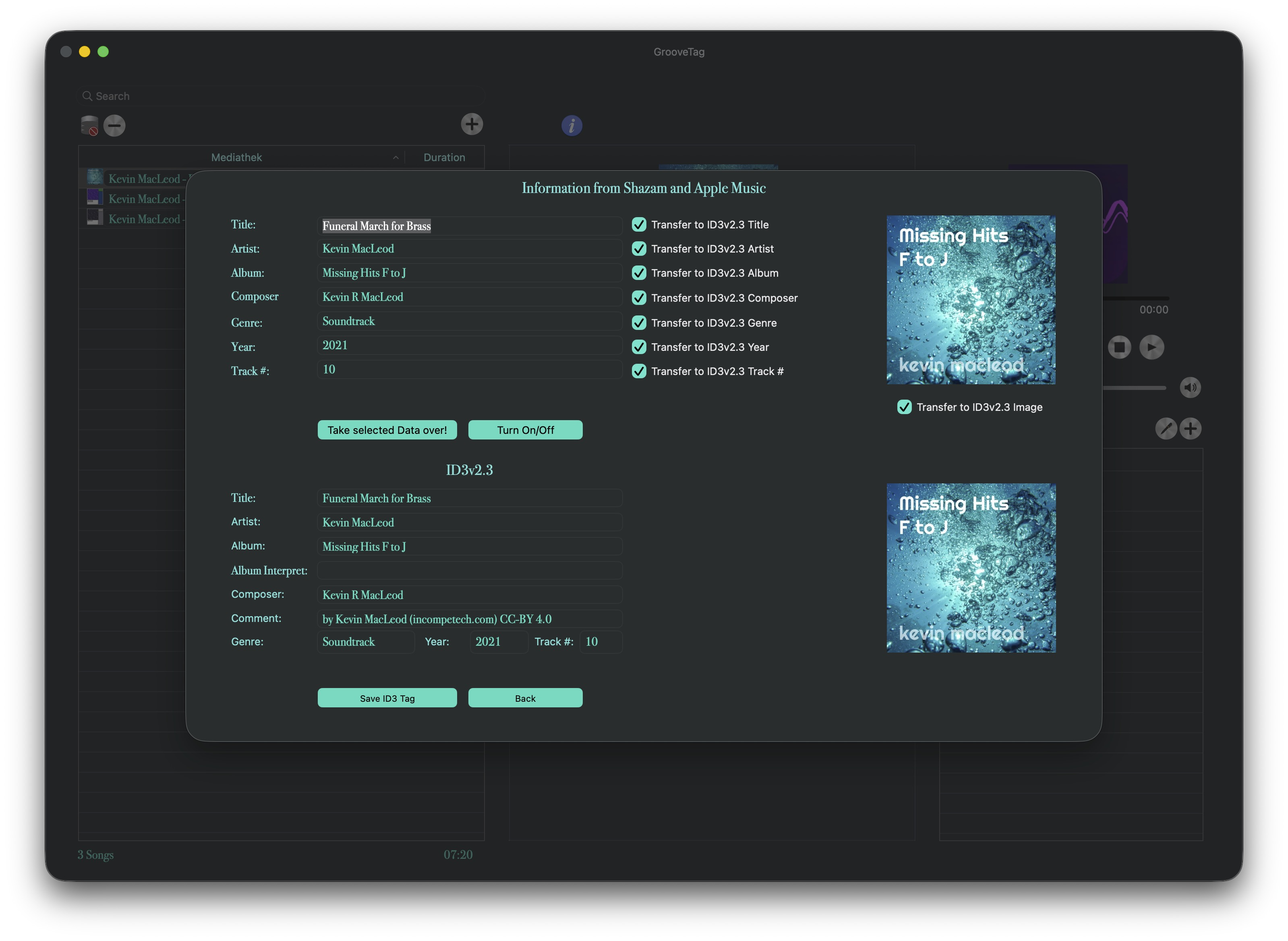
GrooveTag Shazam and Apple Music tag retrieval overview
Shazam & Apple Music Automatic tag retrieval – one click, all metadata filled in completely.
GrooveTag 10-band equalizer with Level Meter and real-time peak display
Equalizer & Level Meter 10-band equalizer with presets and real-time LED peak display for L+R channels.
GrooveTag info window with detailed ID3 tag information
Tag Editor Full access to all ID3 fields – including Comment, Sample Rate and ID3 Version.
GrooveTag Equalizer and Level Meter full view
Equalizer & Level Meter Full sound control at a glance.
Watch

GrooveTag in Motion

The same App Store preview videos, right here – see the key features in action.

Watch the full overview on YouTube
Artist Info & Discography Browse artist bios and discographies, and jump straight to the official video on YouTube.
Zoom Controls Instant zoom in 10% increments, scaling the entire interface on the fly.
Equalizer & Level Meter 10-band equalizer with presets and real-time LED peak display.
Tag Editor Automatic tag retrieval and full ID3 editing via Shazam & Apple Music.

Technical Details

macOS only
Platform min. macOS 13.5
Minimum Resolution 1920 × 1080 px
ID3 Standard ID3 Tag V2.3
Internet Connection Optional Only for Shazam & Apple Music ID3 data, Artist Info & Discography and web radio
Price Free GrooveTag Pro as a one-time in-app purchase
Subscription None
Data Storage None
Supported Fields Title · Artist · Album Album Artist · Composer · Genre · Year · Track Number · Comment · ReplayGain
Additional Info Sample Rate · ID3 Version
Artist Data Wikipedia · YouTube Biography · Discography · Official Videos
Equalizer 10 Bands · ±12 dB 10 Presets · Volume Boost
Volume ReplayGain · Level Meter Auto normalization · L+R LED display
FAQ

Frequently Asked Questions

Everything you need to know about GrooveTag.

Is GrooveTag an MP3 player for Mac?

Yes. GrooveTag is a free MP3 player for Mac. It plays your local MP3 files with playlist, 10-band equalizer, ReplayGain and a real-time level meter, and it includes web radio. The built-in ID3 tag editor keeps your library tidy.

How do I play MP3 files on a Mac without the Apple Music app?

Get GrooveTag from the Mac App Store, click the + button and add MP3 files or a whole folder to the library. After that you can play your music right away. GrooveTag works independently of the Apple Music app and needs no account and no subscription.

Is GrooveTag an MP3 tag editor for Mac?

Yes. GrooveTag is an MP3 tag editor and ID3 tag editor for Mac. It reads and writes ID3 V2.3 tags such as title, artist, album, album artist, composer, genre, release year and track number, and can fill them in automatically via Shazam and Apple Music. On top of that, it is a full MP3 player with a 10-band equalizer.

Is GrooveTag free?

Yes. GrooveTag is free to download from the Mac App Store. The player, ID3 tagging, cover art, renaming, ReplayGain, level meter, zoom and YouTube work with no restrictions. The free version is limited to 100 songs each in the library and the playlist, 5 web radio stations, 5 Shazam and Apple Music lookups per day, Artist Info for 6 artists and the Flat and Rock equalizer presets.

What does GrooveTag Pro unlock?

GrooveTag Pro removes all limits: unlimited library, playlists and radio stations, unlimited Shazam and Apple Music lookups, all artists, complete discographies and all equalizer presets. It is a one-time in-app purchase, not a subscription.

I already bought GrooveTag. Do I have to pay again?

No. Existing customers keep all features without paying again.

Do I need an Apple Music subscription to use GrooveTag?

No. GrooveTag uses Apple Music internally via JWT tokens to retrieve song metadata. An active Apple Music subscription is not required.

What macOS version is required?

GrooveTag requires macOS 13.5 (Ventura) or later. The minimum screen resolution is 1920 × 1080 pixels.

Is my data stored or tracked?

No. GrooveTag stores no personal data, creates no user profiles, and does no tracking. An internet connection is only used for automatic tag retrieval via Shazam and Apple Music, and for web radio streaming.

Does GrooveTag work offline?

Yes. You can manage and play your entire local MP3 library and all playlists completely offline. Only Shazam recognition, Apple Music metadata retrieval, and web radio streaming require an internet connection.

How does automatic song recognition work?

GrooveTag identifies songs using Shazam technology, then retrieves complete ID3 metadata directly from Apple Music – title, artist, album, genre, release year and more, all at the touch of a button.

Does GrooveTag show artist info and discographies?

Yes. GrooveTag displays artist biographies and complete discographies sourced from Wikipedia, and lets you play official music videos via YouTube – all without leaving the app.

GrooveTag Go Icon
Also for iPhone and iPad

GrooveTag Go for iPhone and iPad

The discography app for music fans: collect your favorite artists, explore albums, play songs on YouTube and build your own playlists. Coming soon to the App Store.

Go to GrooveTag Go
Get Started

Ready to Take Control
of Your Music?

GrooveTag is your command center for perfect metadata. Download it for free. No subscription, no cloud, no compromises.

Download on the Mac App Store

Requires macOS · Internet connection only required for Shazam & Apple Music ID3 data, Artist Info & Discography and web radio

Free download · GrooveTag Pro as a one-time in-app purchase, no subscription